That Burned CD-R With the Sharpie Label Is the Only Copy on Earth. Here's How to Save It.
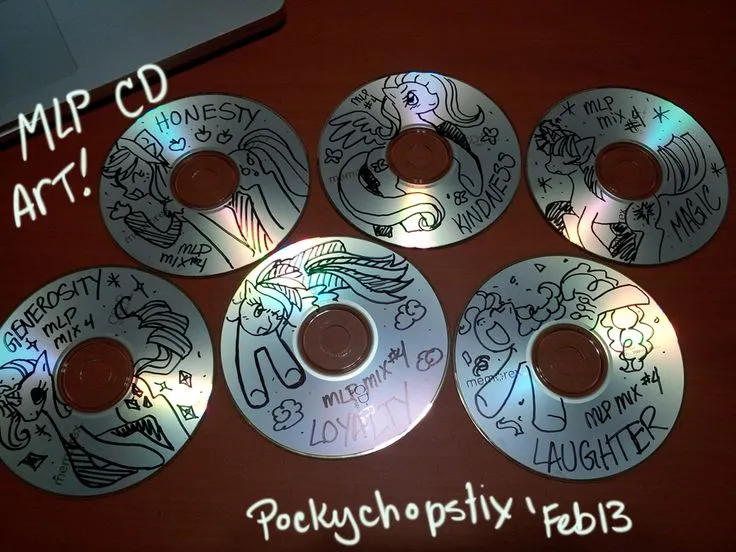
Photo: handwritten sharpie labeled CD-R compact disc on wooden desk, via i.pinimg.com
Somewhere in a desk drawer, there's a CD-R with your cousin's handwriting on it. Maybe it's a demo from his band, Static Halo or whatever they were called in 1998. Maybe it's a mix his college roommate burned with three original songs and nine tracks stolen from other albums. Maybe the label is written in Sharpie on a t-shirt iron-on transfer, because that was a whole aesthetic for about fourteen months.
Here's the thing: no streaming service will ever carry those songs. There's no aggregator, no rights holder, no label. The only master copy is a disc that's been sitting in a hot car door pocket for two decades. CD-Rs degrade — it's called disc rot, and it's not a myth. The dye layer breaks down, and one day that disc just... won't play.
So let's fix that this weekend. It's cheaper and easier than you think.
The Gear: Under $100, Probably Under $40
If you have a working computer with a disc drive, congratulations, your bill is zero dollars. Most laptops ditched optical drives years ago, though, so the likely shopping list looks like this:
- External USB CD/DVD drive — $20-30. Any brand. This is not a category with fancy options.
- For cassettes: a USB cassette deck ($30-60) or, if the tape matters, a real deck from a thrift store plus a $12 audio interface. The USB decks are fine for demos; the thrift-store route sounds better.
- Free software: Audacity does everything. Recording, cleanup, trimming, exporting. It's been the answer for twenty years and it's still the answer.
That's it. Rip the disc with your computer's built-in tool or a free ripper, import the cassette into Audacity in real time (yes, you listen to the whole thing — consider it a reunion), and export as MP3 at 320 kbps or FLAC if you're archiving properly.
The Metadata Problem, or: Why You Must Fix This Now
Here's where most people blow it. They rip the disc, and the files land in their library as "Unknown Artist - Track 01" through "Track 07." Six months later, nobody remembers what's on them. Ten years later, some future hard drive cleanup deletes them as junk.
Before you even rip, write down what you know:
- Band name, even the dumb one
- Song titles (crack the lyric sheet insert if it survived)
- Year, city, recording location if known
- Who played what — seriously, in twenty years nobody will remember that Kevin was the bassist
Then tag the files properly. MusicBrainz Picard is free and handles this well; even iTunes/Apple Music's built-in tag editor works. Put the story in the comments field: "Recorded in Uncle Gary's garage, Toledo, OH, summer 1998. 40 copies made."
That comment field is a time capsule. Fill it.
The Case for Bothering
Look, I'll be honest: some of these recordings are not good. The vocals are hot, the bass drum sounds like a mic'd pillow. Doesn't matter. This is the only music that exists purely because a group of people you knew wanted to make it. It's not on Spotify, it never will be, and it's not subject to a licensing dispute that deletes it overnight.
When you own the file, it's yours. That's the whole philosophy here — the stuff streaming can't take away is the stuff worth keeping. Your cousin's band played four shows and opened for a bigger local act once, and the only evidence is that disc. Rip it, tag it, back it up in two places, and maybe drop the files in a group chat titled after the band.
Forty people heard this music in 1998. With a $25 drive and a free afternoon, it can outlive all of us.