No Signal, No Problem: Building a Bulletproof Audio Rig for Gyms, Boats, and Job Sites
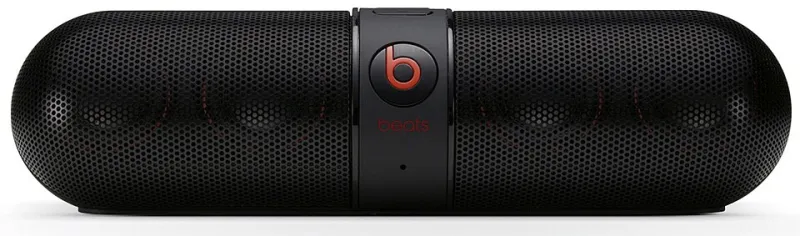
Photo: Beats, CC0, via Wikimedia Commons
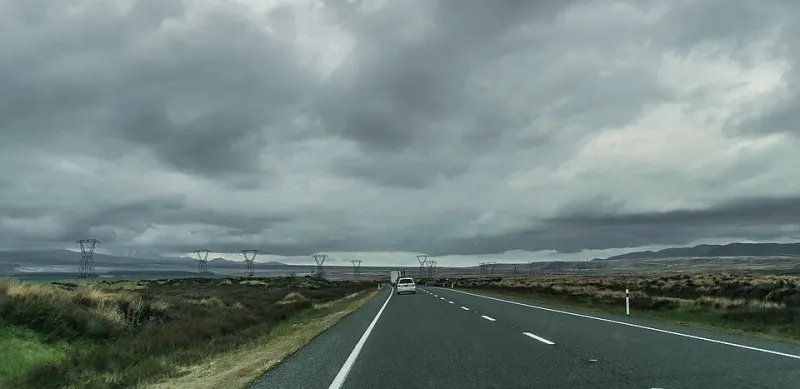
Every American works out, works, or wanders somewhere the internet forgot. The basement gym with concrete walls that eat Wi-Fi. The fishing boat forty minutes past the last cell tower on Lake Erie. The job site downtown where a thousand crews are fighting over one overloaded tower. If your music depends on a stream, these places will let you down every single time.
The fix isn't a better data plan. It's an offline library that lives on the device — and the right hardware to play it on. Here's how to build one for each of these signal-starved environments.
Why Streaming Fails Where You Actually Need It
Streaming audio needs a constant connection, and it's surprisingly fragile. Concrete blocks Wi-Fi. Open water means zero towers. Job sites are RF chaos — hundreds of phones competing for the same bandwidth. Even when you have "a bar or two," a buffering spinner mid-set or mid-swing is enough to ruin the vibe.
An offline library flips the equation: the music is stored locally, plays instantly, and doesn't care where you are. Once your files are converted and loaded, dead zones stop mattering.
Step One: Convert and Organize Your Library
Before buying any hardware, get your files in order. Pull the tracks you actually play — gym anthems, boat-day country, shop-rock — and convert them to MP3s from your existing sources. Aim for 256kbps or higher; on decent speakers you'll hear the difference.
Then organize by space and activity, not by artist. Create top-level folders like:
GYM— high-BPM stuff, 150–180 BPM rangeBOAT— laid-back, no explicit lyrics if kids are aroundJOB SITE— albums, not playlists, so nothing shuffles into a balladRANGE/SHOP— instrumental or low-vocal for focus
Keep filenames consistent: Artist - Track.mp3. Most offline players and car head units sort far better with clean tags, and you'll thank yourself later.
The Gear: What to Buy for Each Space
The Basement Gym
Concrete walls kill Wi-Fi, but they don't kill Bluetooth range — as long as the source device stays in the room.
- Speaker: JBL Charge 5 or Anker Soundcore Motion Boom. Loud, durable, and a full day of battery.
- Source: An old phone wiped clean of apps, loaded with your GYM folder, in airplane mode. No notifications, no distractions, no data drain.
- Budget pick: A $40 MP3 player with a 3.5mm aux into a powered speaker. Bulletproof.
The Boat
Salt water, spray, and sun destroy regular electronics.
- Speaker: Anything rated IPX7 or better — the Boss Audio MGR350B marine head unit if your boat has a dash, or the UE WONDERBOOM 4 for smaller craft.
- Storage: Load a dedicated 128GB microSD card with the BOAT folder. Marine units often accept SD cards directly, skipping Bluetooth entirely.
- Pro tip: Keep the source device in a dry bag. Airplane mode also doubles battery life on the water.
The Job Site
Dust, drops, and long days demand toughness.
- Speaker: The DeWalt 20V Bluetooth speaker is the undisputed king here — it runs on the same batteries as the tools, so a dead speaker never stops the job.
- Source: A cheap rugged phone or dedicated MP3 player with the JOB SITE folder, loaded with full albums.
- Backup: A 256GB SD card in the speaker itself. Many job-site speakers support direct card playback.
The Maintenance Routine
An offline library needs a little upkeep, maybe once a month:
- Add new finds from your streaming or discovery sessions.
- Delete tracks you've skipped three times in a row.
- Back the whole library up to a second drive — always.
- Charge everything the night before, not the morning of.
The Payoff
Total investment: roughly $150–$250 depending on how fancy you go. In exchange, you get music that plays at full quality in a basement, on a lake, or forty stories up in a steel skeleton — with no monthly bill, no buffering, and no dead zones. Build it once, and every gym session, boat day, and workday gets its own soundtrack, forever.